
Face detection
Locates a face in an image or video. It can draw a bounding box without deciding whose face it is.
Answers: Is a face present, and where?
Upload a portrait to find indexed appearances of the same photograph and near-duplicate copies. ImageReverse highlights visible faces for review, but it does not identify a person across unrelated photographs.
Use a clear portrait or a photo with a prominent face, then verify every candidate in its original page context.
The selected provider opens in a new tab and processes the URL under its own terms.
Searching for visual candidates.
Use it to check where a portrait or face-bearing photograph may appear.
ImageReverse searches for the same photograph and near-duplicate copies. Results identify candidate pages where that photograph may appear. They do not establish a person's identity.
Learn how to review candidates in the responsible face-search guide. If an indexed result concerns you, follow the opt-out and removal request process.
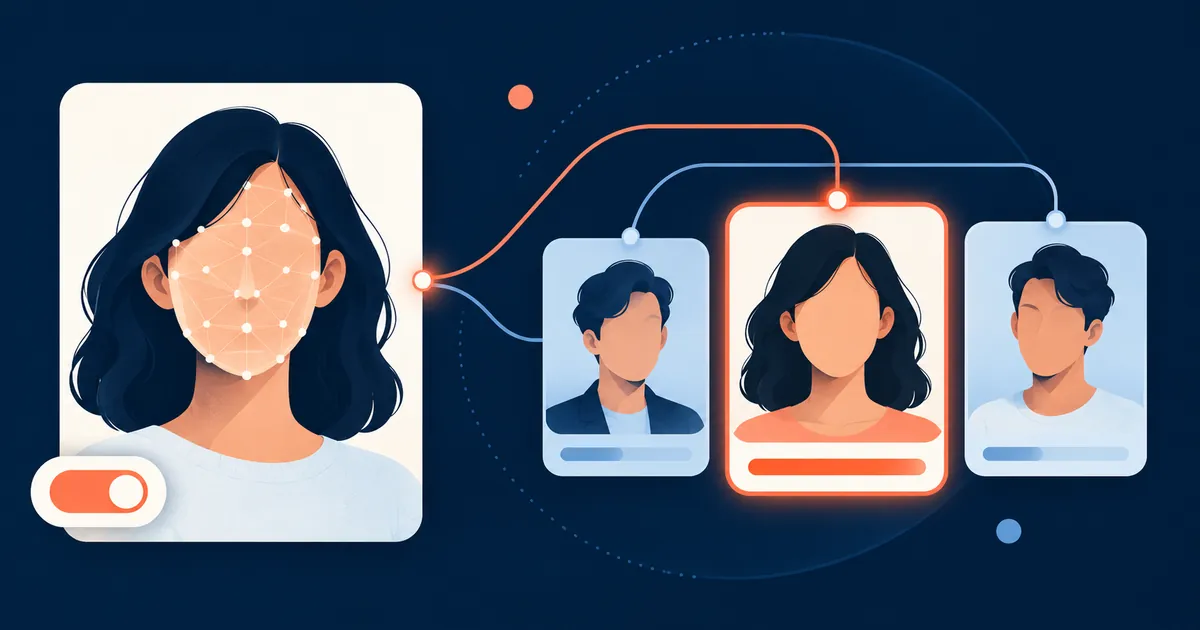
“Face recognition” is frequently used as a catch-all term. Start by identifying the actual task because each one has a different input, output, and risk.
Locates a face in an image or video. It can draw a bounding box without deciding whose face it is.
Answers: Is a face present, and where?
Compares one face with one claimed reference. Phone unlocking is a familiar one-to-one use.
Answers: Are these likely the same person?
Compares one face against many enrolled references and returns candidates from that specific gallery.
Answers: Is there a likely match in this gallery?
Looks for visually similar faces or appearances in an indexed image collection, often to locate public pages.
Answers: Where might this face appear?
A responsible system exposes the stages between an image and a decision. Hiding those stages makes errors harder to detect or challenge.
A camera or existing photograph supplies the probe image. Pose, focus, exposure, and resolution matter immediately.
The software converts facial characteristics into a numerical representation often called a template or embedding.
The probe representation is compared with one reference or a defined gallery. The output is a similarity score.
A configured threshold determines which scores become candidates. Consequential uses need human review and an appeal path.
This comparison prevents a useful matching tool from being described as more authoritative than it is.
| Scenario | Comparison | Useful output | Main caution |
|---|---|---|---|
| Unlocking a personal device | One-to-one verification | Accept or reject the claimed user | Presentation attacks, fallback security, and false rejection |
| Grouping a private photo library | Clustering or similarity | Suggested groups for the owner to label | Consent, local storage, and mistaken grouping |
| Finding your own reused portrait | Reverse face search | Candidate public pages for manual checking | A visual result does not establish identity or wrongdoing |
| Searching an enrolled watchlist | One-to-many identification | Ranked candidates from that gallery | False positives can create serious downstream harm |
A single accuracy percentage is rarely enough. Performance changes with the algorithm, threshold, image quality, gallery, and population being evaluated.
NIST distinguishes false matches from false non-matches and evaluates one-to-one and one-to-many systems separately. Its testing also documents demographic differentials and the strong effect poor photography can have on false negatives.
Review NIST demographic evaluationsLow resolution, blur, compression, and poor exposure can remove information needed for comparison.
Large head angles, masks, sunglasses, hair, and partial crops change which features are available.
Age, elapsed time, expression, facial hair, and other changes can affect comparison performance.
A stricter threshold can reduce false matches while increasing false non-matches. The right tradeoff depends on the harm of each error.
Before trusting or deploying a facial recognition system, ask for answers that can be tested rather than accepting a broad claim of accuracy.
What exact decision will the result support, and is face recognition necessary for that purpose?
Who is included, how were they enrolled, and can incorrect records be corrected or removed?
Are false-match and false-non-match rates reported for the actual threshold and operating conditions?
Was performance evaluated across relevant demographics, image conditions, and realistic gallery sizes?
What samples and templates are retained, where are they stored, and when are they deleted?
Can a reviewer inspect the source evidence, reject a poor candidate, and document uncertainty?
Do people understand the processing, its purpose, and the choices available to them?
Can an affected person challenge a result and obtain a meaningful correction?
Short answers to the distinctions that matter most when evaluating a result.
No. Detection finds the location of a face. Recognition compares facial features for verification or identification.
No. A system can only compare the probe with the references available to it. An incomplete or unsuitable gallery limits what it can find.
No. The meaning of a score depends on the algorithm, threshold, gallery, and image conditions. Independent context is still required.
Yes. ImageReverse detects visible faces and searches for same-photo and near-duplicate candidates. The current matcher does not establish identity across unrelated photographs.
Yes. The opt-out and removal page explains what to send, how index removal differs from source removal, and how to avoid sharing unnecessary sensitive documents.
A clear, adequately sized face with balanced exposure, limited blur, limited occlusion, and a similar pose to the reference generally provides more usable information.
Before searching, read how to choose a photo for face search. When results appear, use the false-positive review workflow and the broader face search learning path to evaluate them. For current evaluation terminology and performance reports, consult NIST Face Technology Evaluations. For biometric samples, templates, and data-protection considerations, read the ICO biometric recognition guidance.